Enterprise UX · CertainTeed · Saint-Gobain North America
Two Tools, Stalled
What happens when the remaining decisions aren't design decisions.
Live Documents & Downloads Competitor Comparison Tool Submittal how-to
Role
Web Designer, sole UX and interface owner on both tools
Timeline
Advisory March 13, ownership April 10, both in development by May 1, 2026
Scope
Two stalled CertainTeed web tools, taken over mid-flight and driven to development
Outcome
Both live. The document-list pattern was adopted across the site.
The Situation
Two Stalls, One Cause
I was brought onto two CertainTeed web tools in an advisory capacity in March and took ownership of both in April. They were unrelated projects with unrelated audiences, and they had stalled the same way.
Both had reached the point where the outstanding questions were no longer visual. Which filters do people actually use? What does the new product line have to do inside the tool? What is this page's job, exactly? Those answers didn't live in the design files. They lived with the project owners, and nobody had gone and asked.
So that's what I did first, on both. I got in front of the stakeholders, asked for the usage picture and the real constraints, and came back with enough evidence that most of the pending decisions answered themselves. It is not a dramatic intervention. It is most of why both tools shipped.
The design stall was an information stall wearing a design stall's clothes.
Authorship
My Role
I was a Web Designer on CertainTeed's enterprise web team. Both tools had existing owners, existing development resourcing, and timelines I inherited rather than set. I owned UX direction, interface design, and specification for both.
Three collaborators: the web strategy and demand generation lead, who brought me onto the projects; the digital sales and customer experience owner, primary stakeholder for both tools; and the digital product manager, who carried my specifications to development.
Advisory from March 13, ownership from April 10. The submittal tool went to development April 24 and the comparison tool on May 1 — my last day before paternity leave, a date that could not move.
Rescue One
The Submittal Tool
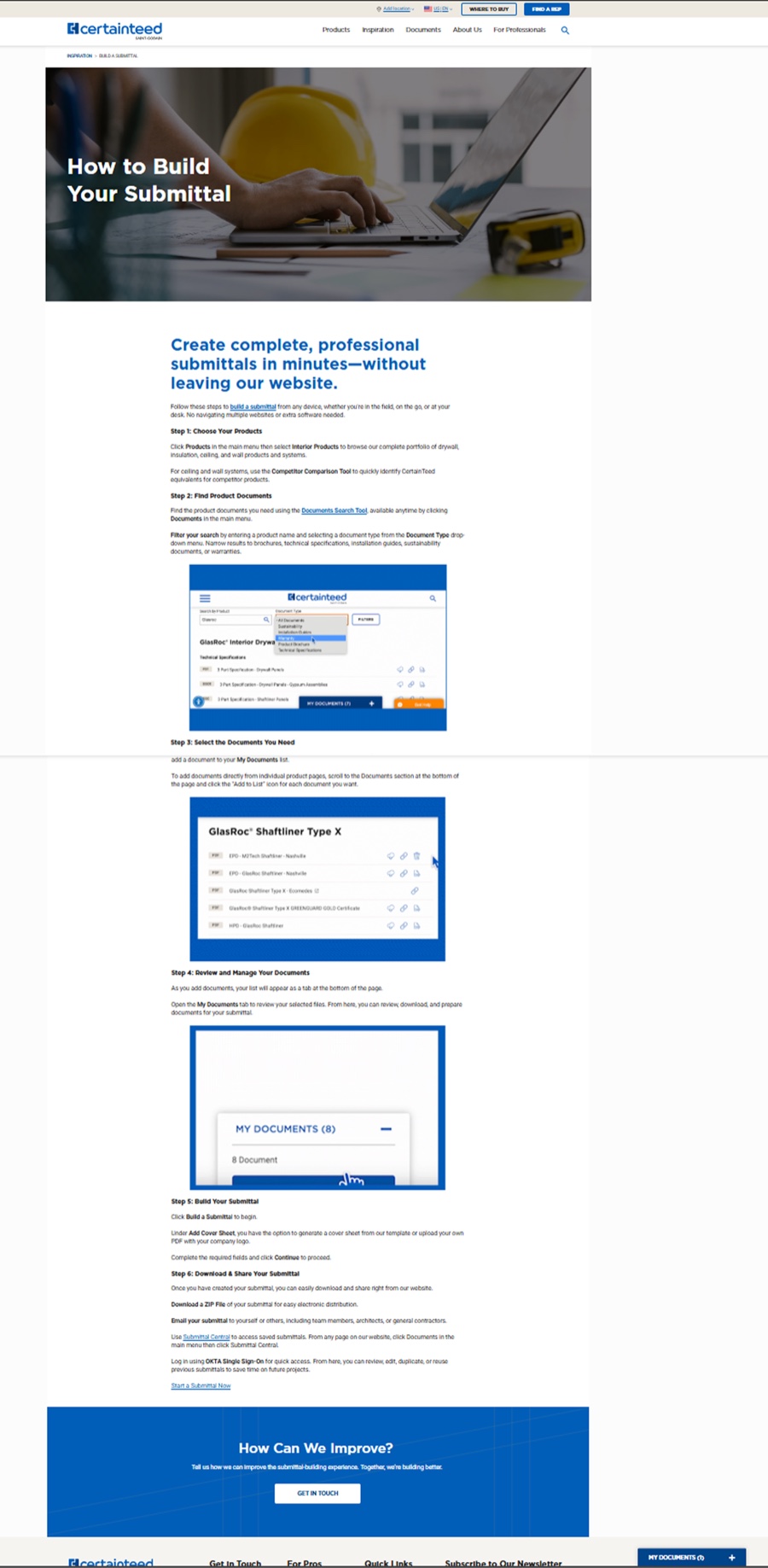
Architects, contractors, and specifiers come to CertainTeed's documents pages to gather technical documentation, then use the submittal tool to bundle it into a single package. The brief had three parts: make the tool more visible, make the documents page easier to use, and clean up the article that describes it. It was an awareness and usability brief, not a conversion one.
The layout.
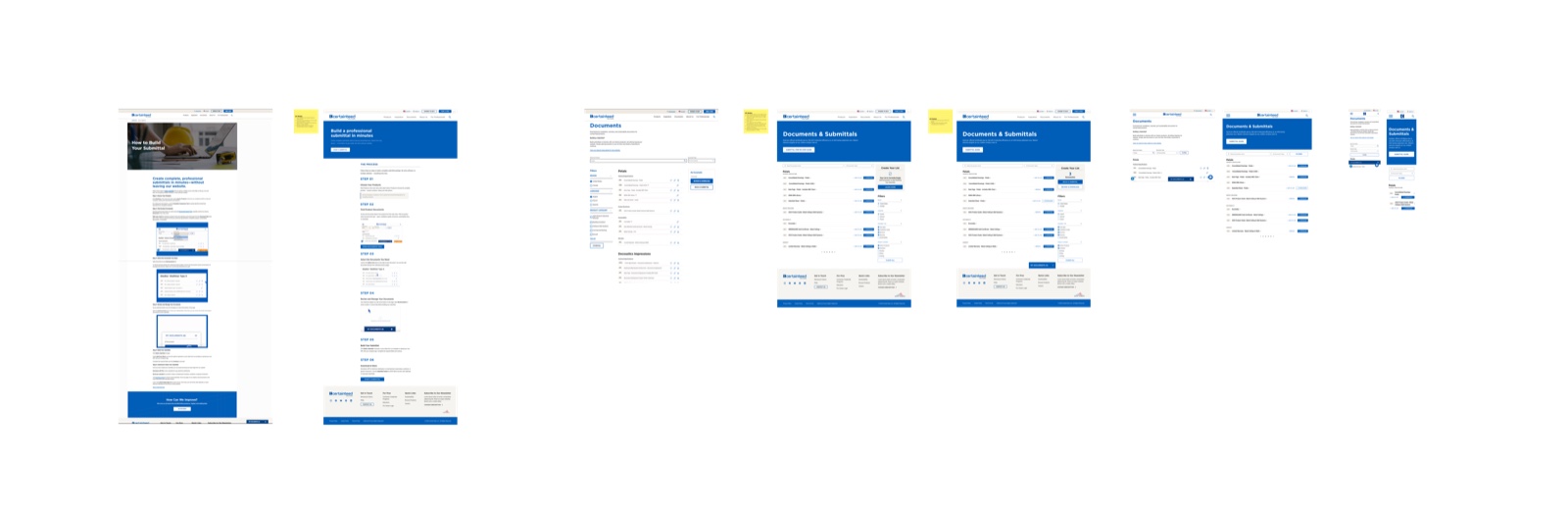
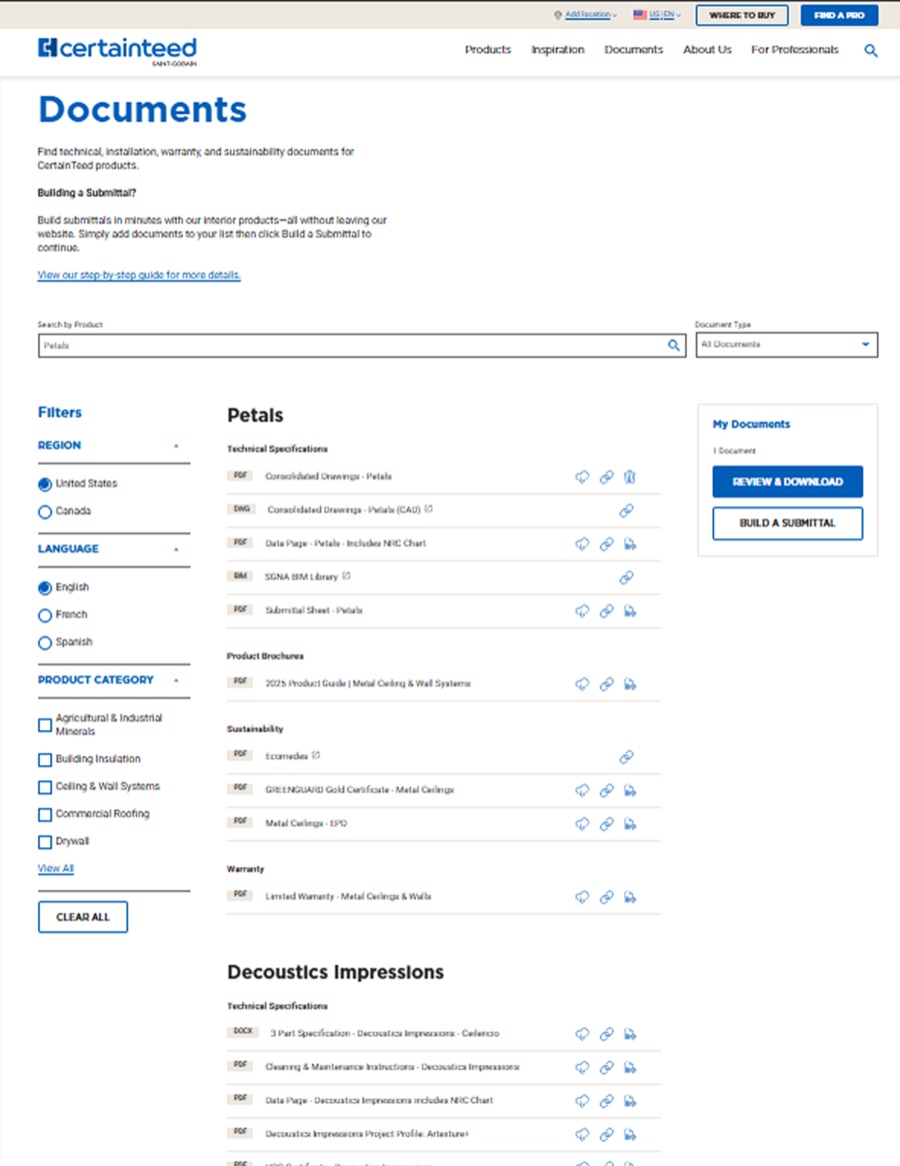
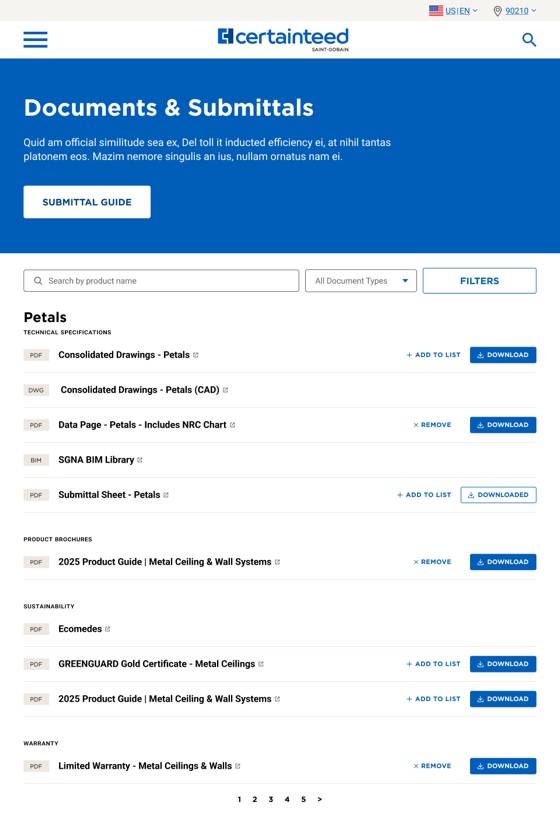
The page ran three columns — filters left, documents center, submittal box right. Stakeholder evidence said the filters were lightly used, and they were occupying a full column to say so. So I moved them under the submittal box and gave the space back to the documents.
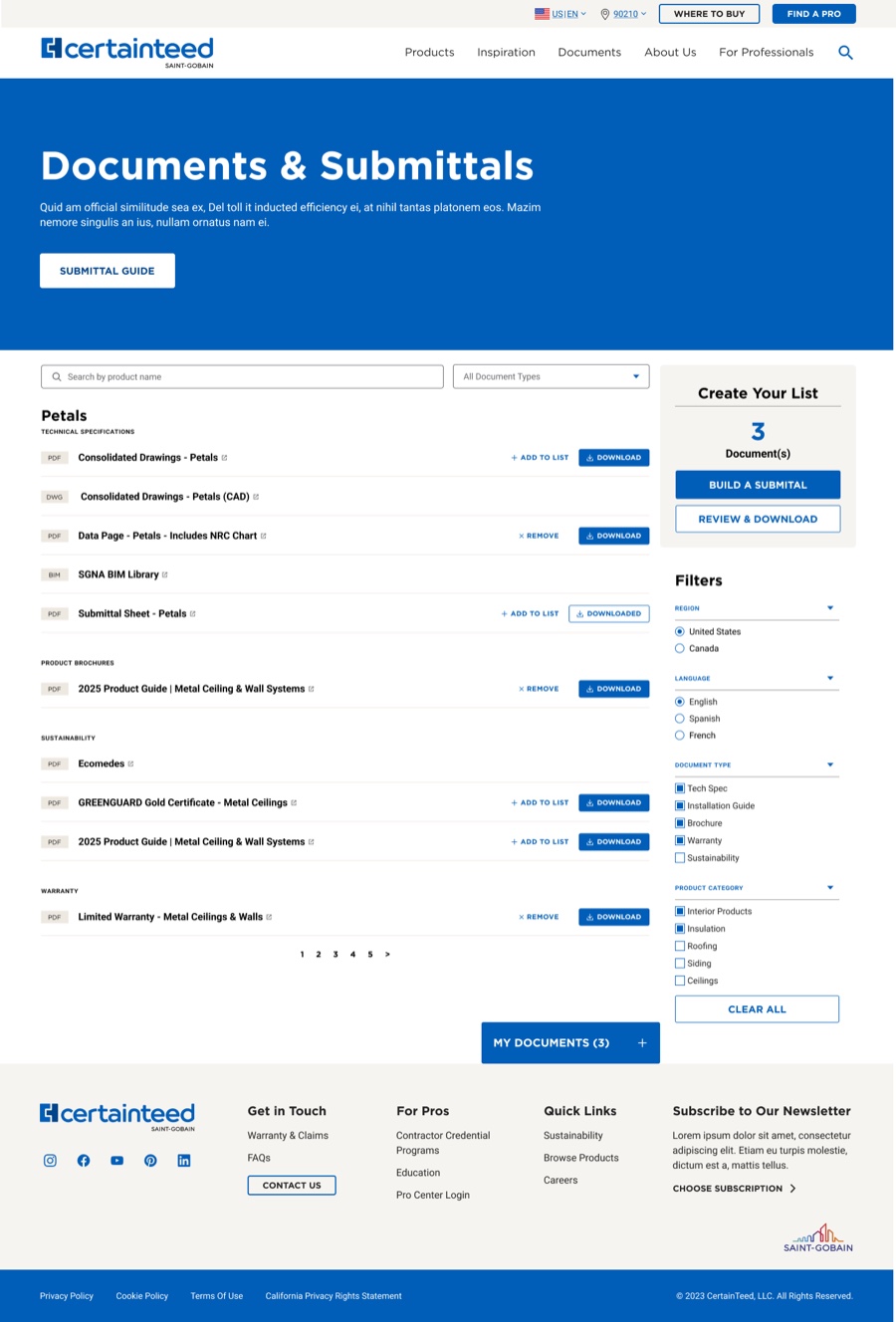
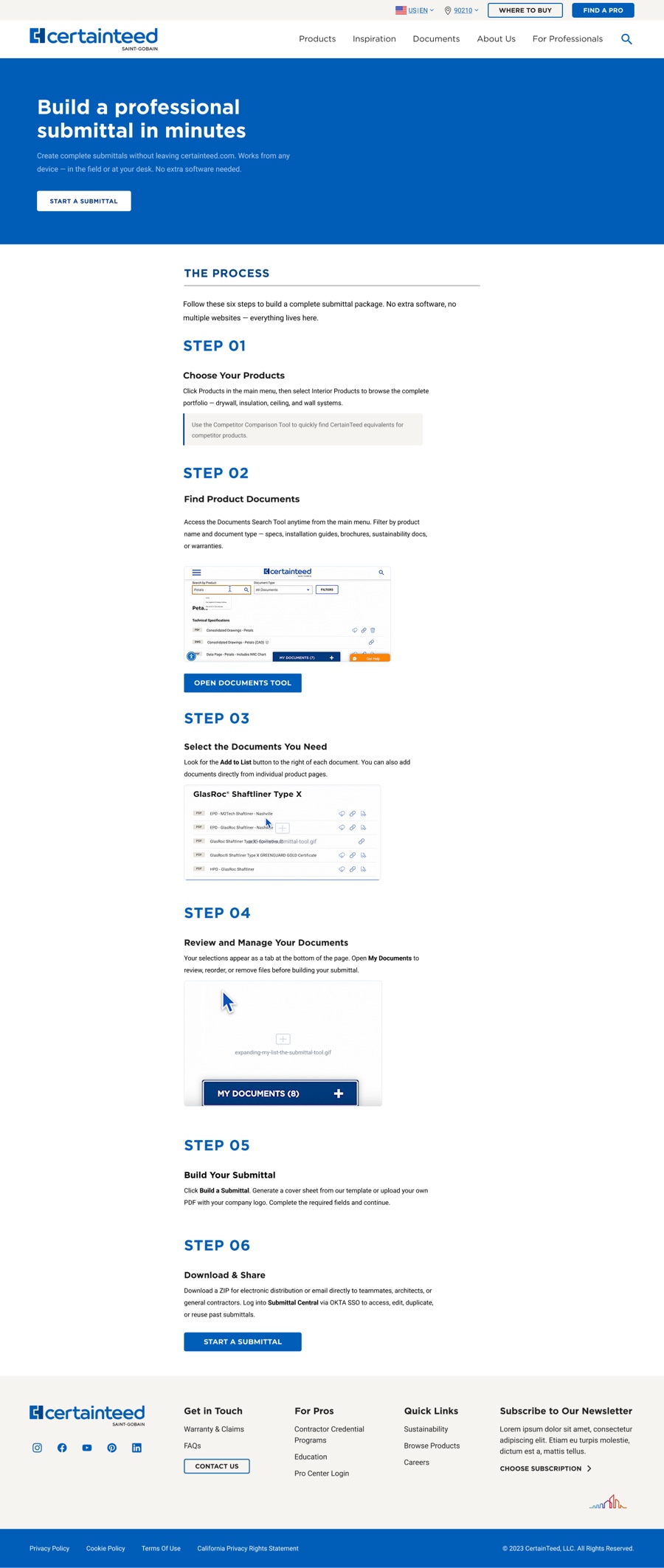
Three columns became two. The document list took the primary column and stopped feeling crunched, long titles gained room to sit on one line, and the submittal box got the top of a column of its own instead of the corner of the page.
The row.
Each document row could end in three unlabeled icons: one that read as download, one that copied a link, one that added the document to the submittal list. Some titles also carried a small external-link glyph. And the title text itself was clickable.
Reading the implementation, the picture got worse. The title click opened the document in a new tab. The external-link glyph indicated the same thing. And the download icon also opened a new tab rather than downloading. Three separate affordances for one behavior, one of them promising something it didn't do — with the genuinely distinct control, copy link, given no way to stand apart from the noise. Removal existed, technically: a trash can small enough that it took me a while to find it.
Two of the three icons did the same thing, and the one labeled download didn't download.
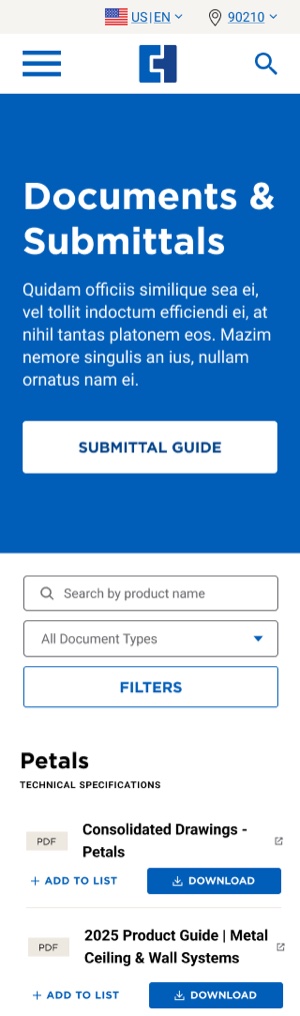
Keeping a separate icon per entry point would have preserved a distinction the interface itself no longer honored, so I collapsed the overlapping affordances into two labeled controls and one marker that means something. Rows now carry "Add to List" and "Download" as labeled buttons with visible states — Downloaded, Remove — and a standardized external-link marker sits with the title where a document opens off-site. The states aren't new. They're finally legible.
The variation between rows didn't disappear either. It became explicable: a row without a download button now visibly says why.
The tool.
I gave the submittal box a stronger color treatment and rebuilt its internal hierarchy, most importantly the count of documents collected. It had been set at the same weight as everything around it; it is now the largest element in the box. That number is the piece of state telling someone the tool is working and that they've made progress, and it should be the loudest thing there.
Visibility got handled structurally rather than decoratively. The step-by-step guide — the page ranking highest in search for the topic — had been reachable only through a sentence-length link buried in body copy. The best-performing entry point in the system was the least visible thing on the page. It became a button in a new hero band, and the article itself was brought in line with the standards of the page it feeds. I also recommended alphabetizing and paginating the document listings, replacing an undifferentiated scroll.
What outlived the brief.
The typographic and layout system I built for the document list was adopted for document presentation elsewhere on the site. That's the outcome I'd point to first — not a number, but a scope. A decision made inside one page's assignment became the pattern beyond it.
Rescue Two
The Comparison Tool
A branching form that takes a competitor's product and routes the user to a CertainTeed equivalent. The overhaul was triggered by a product-line addition — new Gypsum products entering the tool, requiring new branching logic. The original had been built quickly, and the new logic had nowhere to go.
The layout.
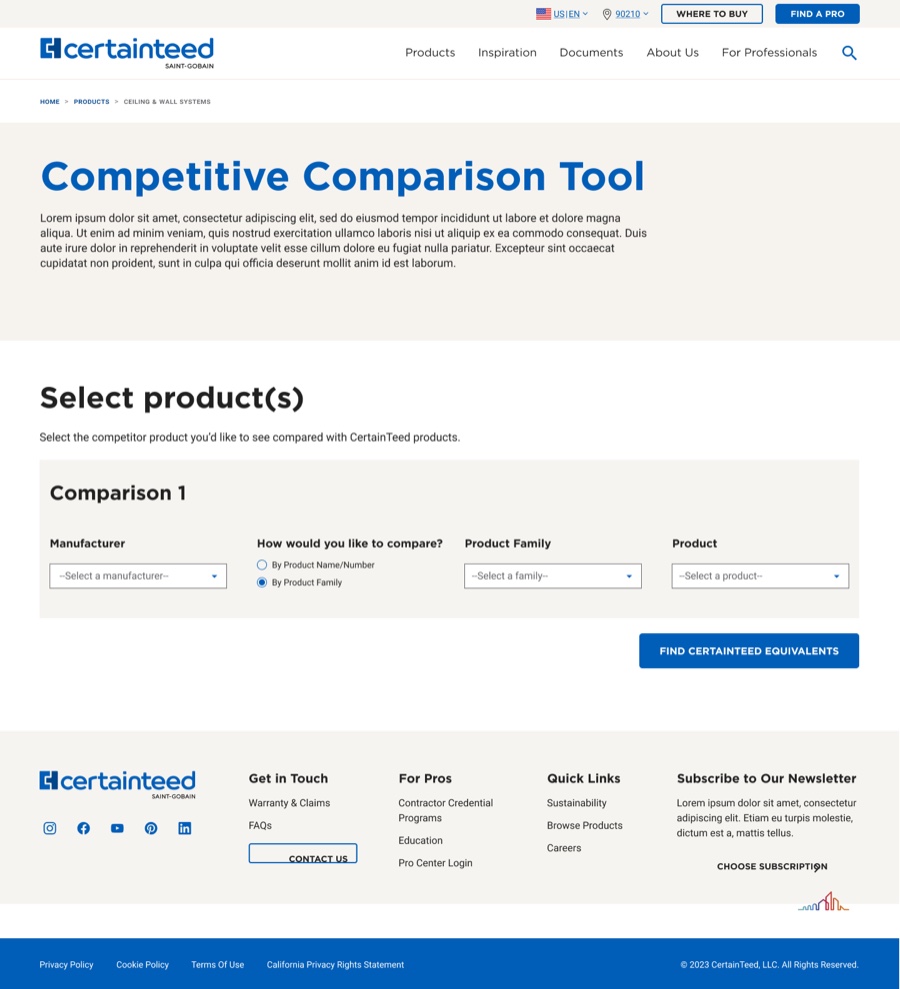
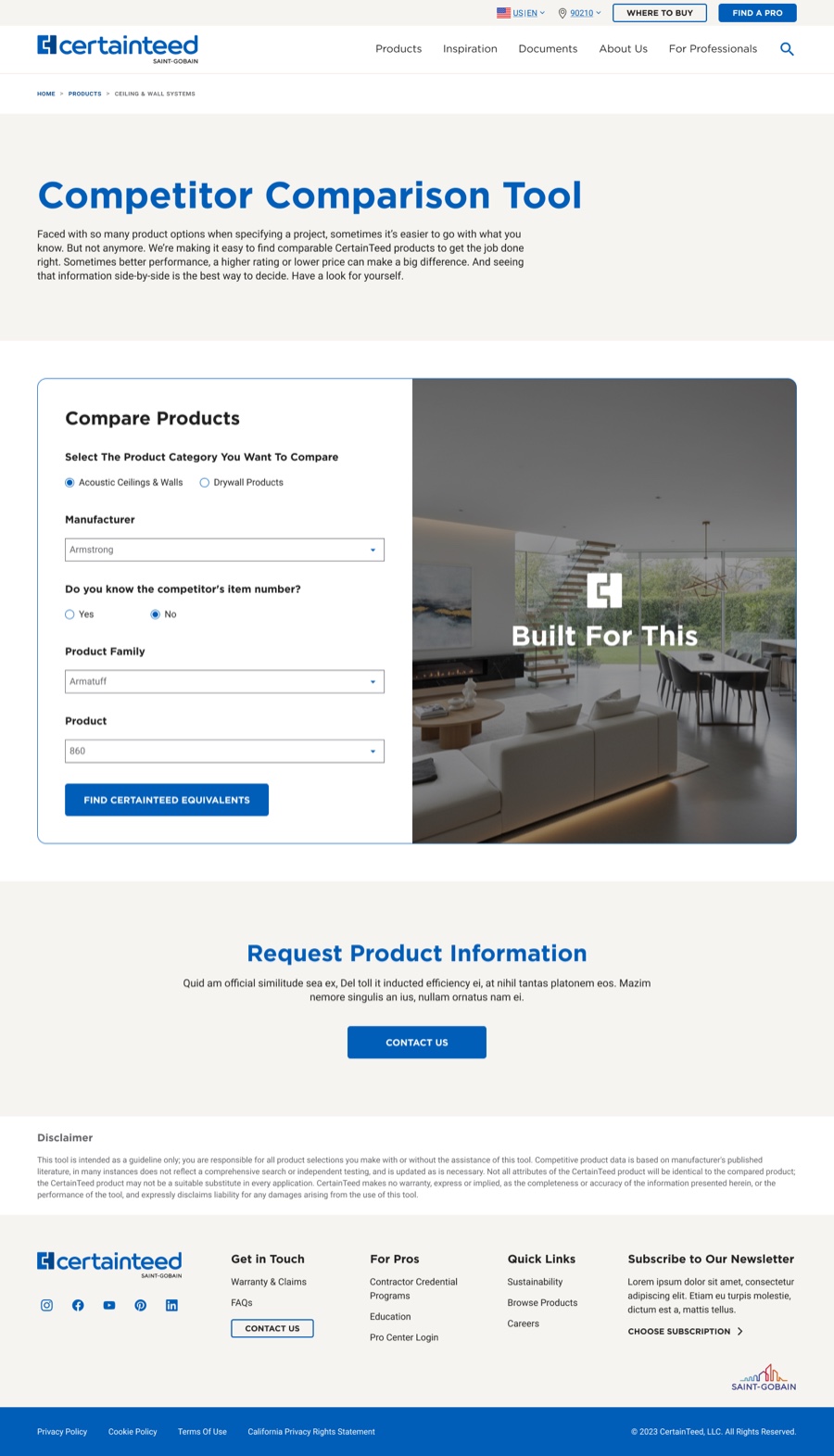
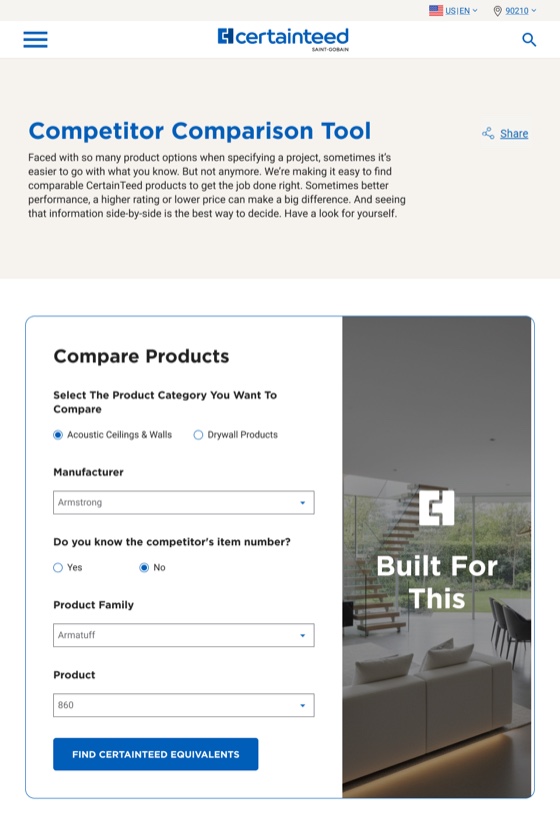
Four questions ran horizontally across the screen, every field visible and enabled at once regardless of whether it could yet be answered. At narrower widths the form already stacked vertically. Desktop was the only view where it didn't — not a responsive strategy, just an exception with nothing behind it.
The form already knew how to be vertical. Desktop was the one place it refused.
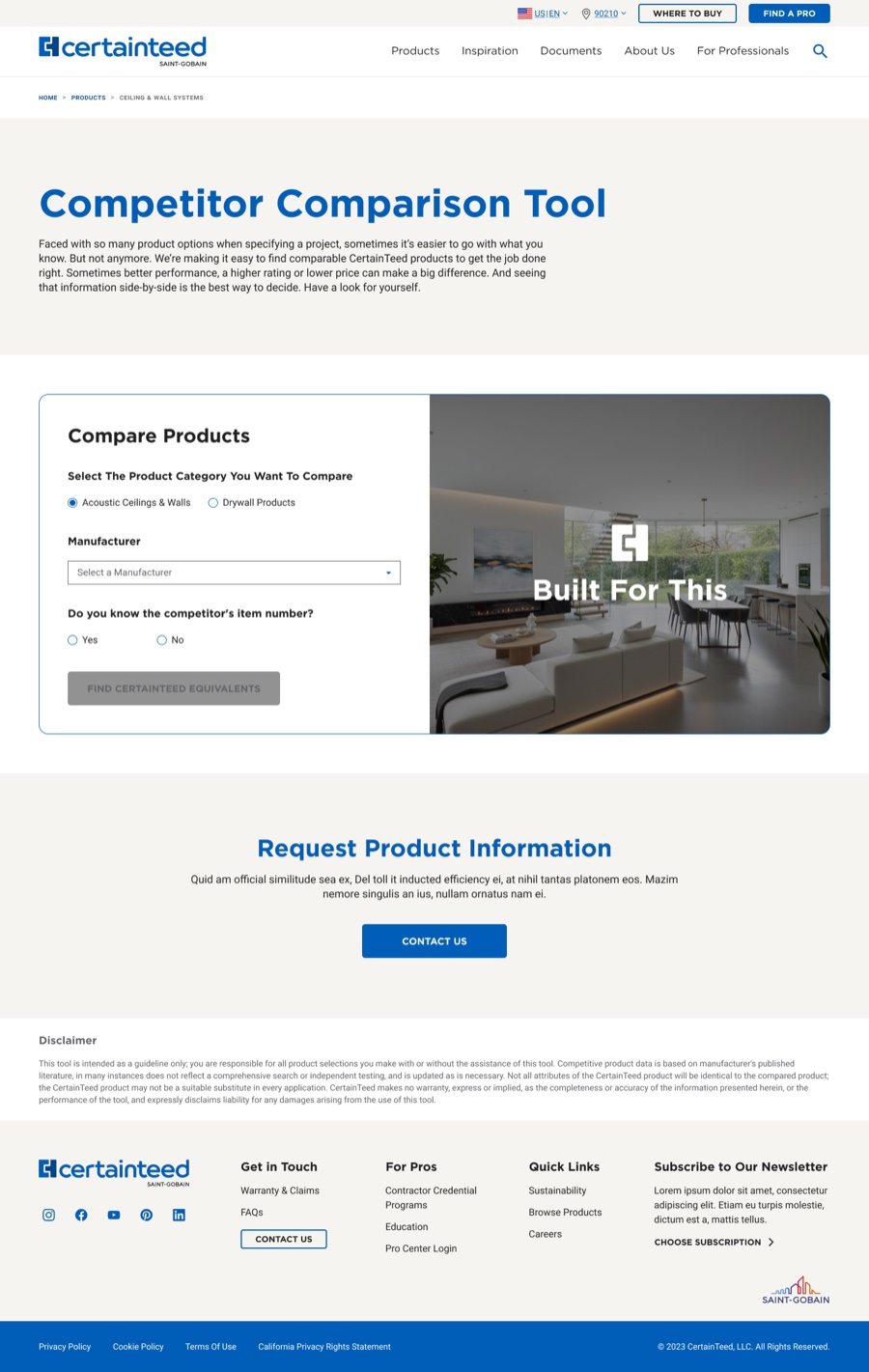
I rebuilt the desktop form vertically, matching what it already did at every other width, because the horizontal row couldn't absorb the Gypsum branching and had no reason to exist beyond inertia. The branching fit inside the standard pattern with no exception required, the form began revealing itself as you answered rather than presenting four questions you can't yet act on, and roughly half the horizontal space came free.
The panel.
That freed space became an image panel beside the form. I specified it as a surface that could scale with the form's logic, carry product storytelling, and eventually respond to what the user was selecting — a way to show someone the world their choices belong to while they're making them. It shipped as a static image. See below.
The results page.
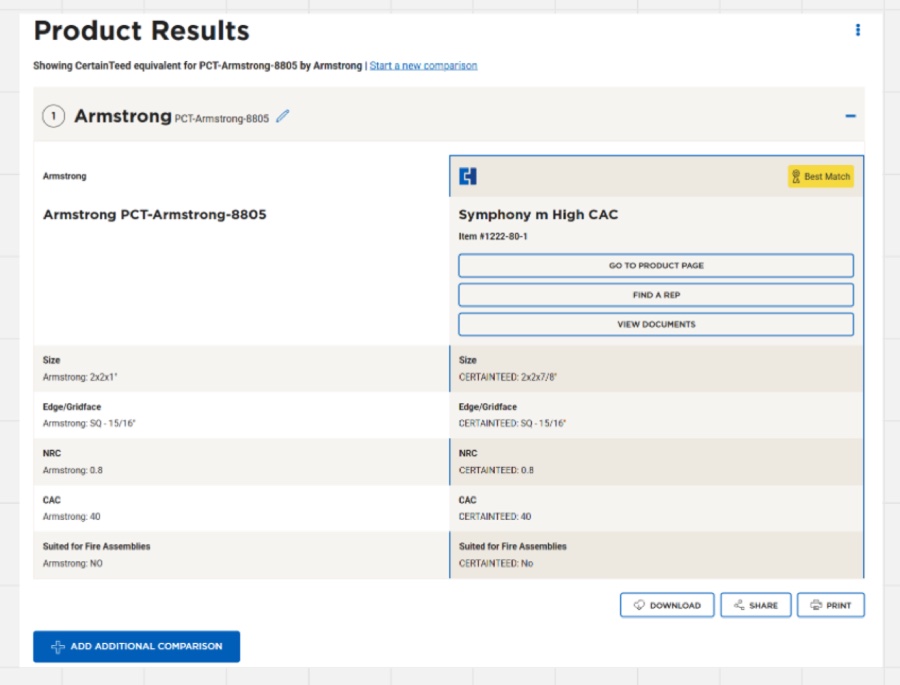
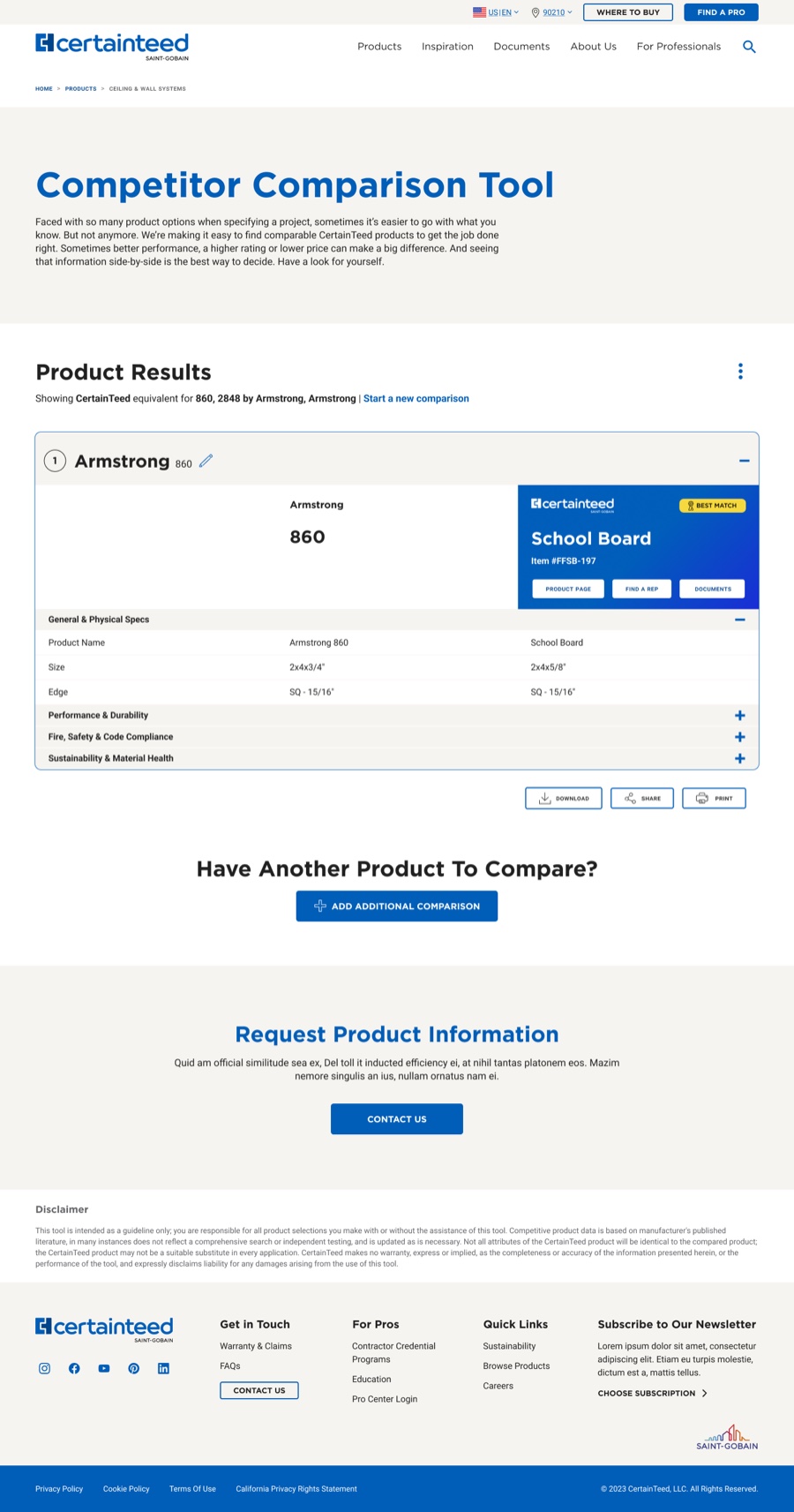
The page the form delivers you to had no hierarchy, and presented CertainTeed products in the same flat treatment as everything they were being compared against.
Showing every attribute at once made the first view unreadable, and the attribute set was only going to grow as product lines were added — so I made the table's rows expandable. The page shipped with a scannable default state and somewhere to put new attributes without a redesign, which is the exact failure that had put the form in front of me. I also brought branded blue behind the CertainTeed column, so our product reads as the answer the tool exists to give without the table misrepresenting what it's comparing.
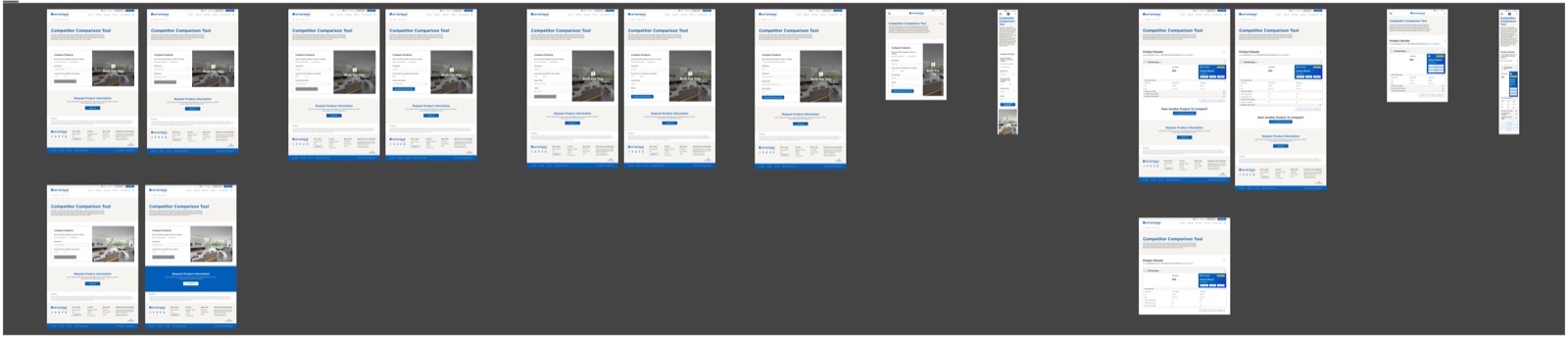
The results page is reachable only by completing the form, so there's no URL for it. Screenshots are the only way to show it.

What Shipped
Both tools are live and running in the form I specified.
Submittal went to development April 24, the comparison tool May 1.
The submittal page runs two columns instead of three, with document rows whose controls say what they do and a tool that announces its own state — and its document-presentation pattern was adopted across the site beyond the project that produced it.
The comparison tool asks one question at a time in a layout that absorbs the new Gypsum logic without exception, and delivers to a results page built to grow.
In Hindsight
What I'd Do Differently
The panel shipped static, and that's on my specification.
I designed it as a slot that could scale with the form, tell a product story, and reflect the user's selections back to them as they made them — a feedback channel, not decoration. But I framed that as future potential rather than defined behavior in the handoff, and to my knowledge it's still a static image. Describing something as a possibility in a spec is functionally the same as not specifying it. If the behavior mattered, and I think it was the most interesting idea in the project, it needed to be a requirement with stated conditions, not an intention I left behind on my way out.
I accepted a page-level scope on a flow-level problem.
The submittal brief covered the page around the tool. But what stakeholders described was people starting a submittal and not finishing, and drop-off inside a multi-step flow usually lives in the flow, not in the page that launches it. I improved the container and didn't push to widen the scope. The deadline was real; it's the reason I didn't, not an argument that I shouldn't have.
My filter evidence was secondhand.
Moving the filters out of the primary column rested on usage information stakeholders gave me rather than data I pulled myself. It pointed clearly enough to act on inside the timeline, but it was still someone else's read, and I moved a conventional pattern on the strength of it.
I left without a measurement plan.
No post-launch checkpoint, no instrumentation request attached to the handoff. Both tools shipped and I was gone the following week, which is why this section is the only place in the study where I can tell you anything about outcomes. It's the most fixable thing here and the one I'd do first.
The Takeaway
What The Pair Taught Me
Both tools broke the same way before I got to them: built without room to grow, then handed a new product line. The horizontal form couldn't hold new branching. The flat results table couldn't hold new attributes. Everything I'm proudest of in either project is structural for that reason — the expandable rows, the row whose controls mean one thing each, the panel meant to scale. Two of those three shipped as intended.
The other lesson is cheaper and I keep relearning it. Both projects were stuck on questions that a conversation with the right person answered in an afternoon. The design work was real, but it wasn't what was blocking.
Both tools are live. One of the patterns outlived the project that made it.